
By Ivo Kostadinov · Founder, SaveMyBudget
· 4 min read
What evidence does Google need for a click fraud claim?
Short answer
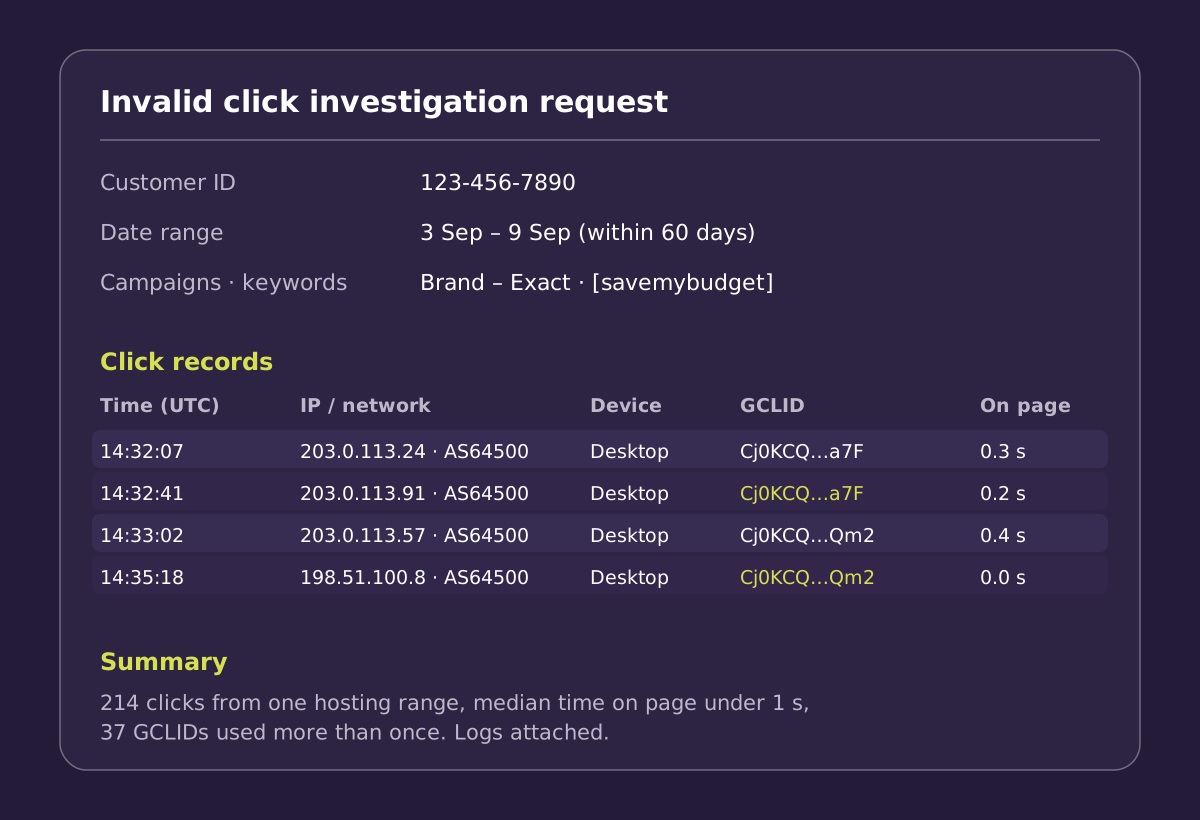
Google needs records it can match against its own data. That means your customer ID, a date range within the last 60 days, the affected campaigns, ad groups and keywords, and web server logs showing IP addresses, devices and GCLIDs for the suspicious clicks. Add lead details where relevant and a short summary of the pattern. A suspicion without records is hard for anyone to act on.
What Google asks for
| Item | Why it helps | Where to get it |
|---|---|---|
| Customer ID | Identifies the account | Top of Google Ads, 10 digits |
| Date range (≤ 60 days) | Sets the scope of the review | Your own records |
| Campaigns, ad groups, keywords | Narrows down where to look | Google Ads reports |
| IP addresses | Shows where clicks came from | Web server logs or a click-logging tag |
| Devices and browsers | Shows repeated or impossible combinations | Server logs, analytics |
| GCLIDs | Links each record to a specific ad click | Landing page URLs in your logs |
| Lead details | Shows junk or repeated submissions | Your CRM or form tool |
| Trend summary | Explains the pattern in plain words | Written by you |
Why the GCLID matters
When someone clicks a Google ad, Google adds a GCLID (Google Click ID) to the landing page URL, as long as auto-tagging is on (it's on by default for new accounts). It's the most direct link between a visit in your logs and a click on Google's side. A log line with a timestamp, IP address and GCLID is far more useful than an IP address alone.
What on-site behaviour adds
Google sees the click. Your site sees what came next. Records that show a page never finished loading, no interaction happened, or the same GCLID was used several times give Google context it can't collect itself. Present these as observations, not conclusions. For example: "42 visits from this network range, median time on page 0.4 seconds, no scroll events."
Writing the summary
Keep it short, factual and courteous. Here's an example:
What weakens a request
- A feeling that traffic is off, with no records behind it.
- Low conversions or poor ROI on their own. These aren't invalid activity.
- Clicks outside the 60-day window.
- Clicks Google has already credited.
- Many unrelated patterns mixed into one request.
- Accusatory wording. It doesn't add evidence.
Collect it before you need it
Evidence can't be collected retroactively. If your server logs rotate after a week, or you have no record of the GCLID on each visit, the information won't be there when you need it. Decide now where click records will be kept, for at least the length of the claim window. See how far back you can claim.
Frequently asked questions
Is a list of IP addresses enough?
Usually not. IPs on their own don't show which ad clicks they relate to or what made them invalid. Add timestamps, GCLIDs, campaigns and a clear description of the pattern.
Can I use Google Analytics as evidence?
Analytics reports help show a pattern, but they don't show IP addresses. Server logs or a click-logging tag that records IP, user agent and GCLID give Google more to work with.
Do I need to prove who was clicking?
No. Describe what the clicks did and why they don't look like genuine interest. Google decides whether they were invalid.
Sources
Have the file ready. SaveMyBudget records timestamps, network, device, GCLID and on-site behaviour for every paid click from the day the tag goes live. It deletes raw data after the claim window closes.
Protect my ad budgetNo win, no fee · No card to start · Setup in about a minute