
By Ivo Kostadinov · Founder, SaveMyBudget
· 4 min read
Why do my Google Ads get clicks but no sales?
Short answer
Usually it's broken conversion tracking, loosely matched search terms, a landing page that doesn't match the ad, or a network or location setting that reaches the wrong people. Invalid traffic is one possible cause, but it's rarely the first one. Check in this order: tracking, search terms, landing page, networks and placements, locations, then traffic quality.
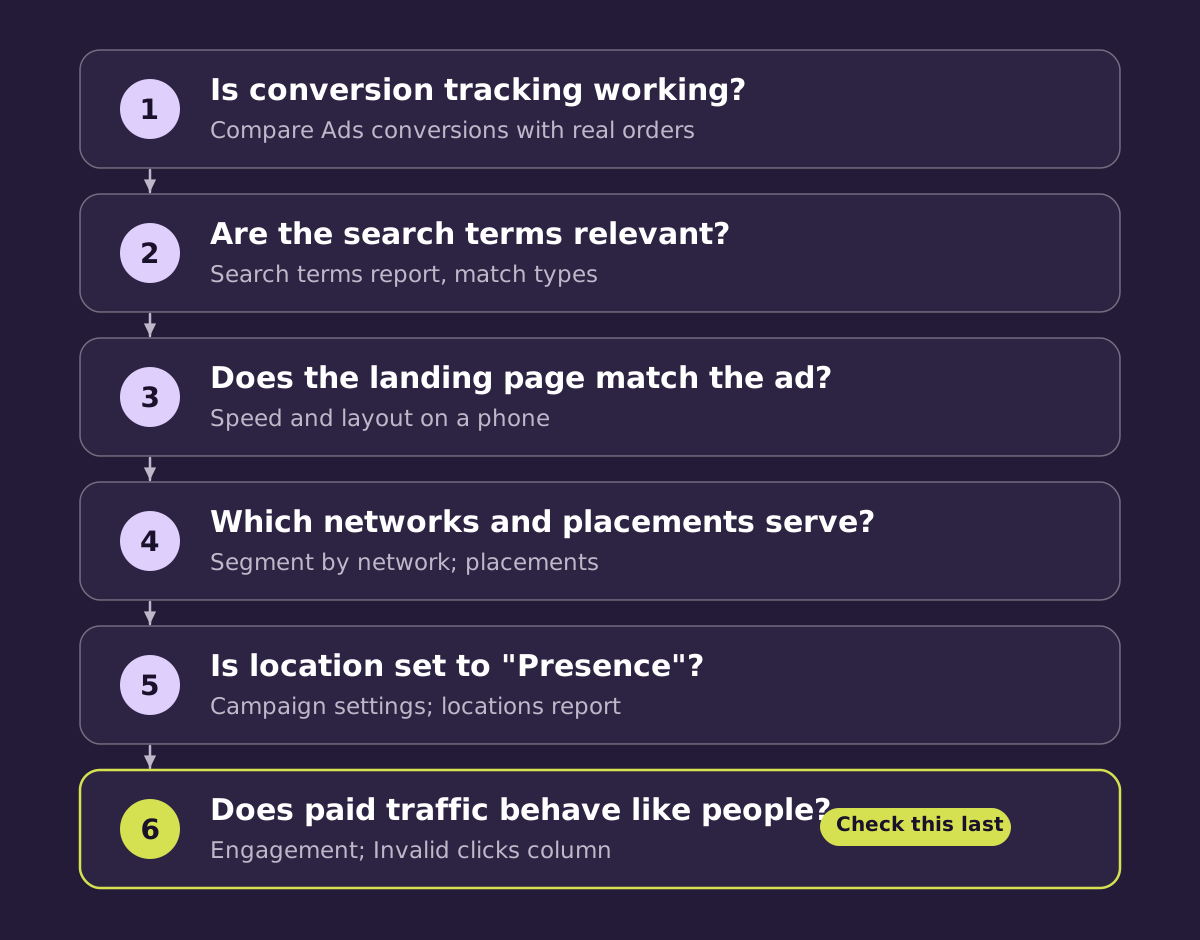
1. Is conversion tracking actually working?
This is the most common cause, and the easiest to miss. Sales keep happening but stop being recorded. Things that often break tracking:
- A new checkout, theme or page builder that dropped the tag.
- A consent banner change that blocks tags until visitors accept.
- A duplicate or removed conversion action in Google Ads.
Check the conversion action's status in Google Ads, then compare Google Ads conversions with the orders or leads in your own system for the same week. If the shop shows sales that Ads doesn't, fix tracking before changing anything else.
2. Are the search terms relevant?
Open the Search terms report. Broad match and close variants can show your ad for searches that are only loosely related: research queries, job seekers, people looking for a free version. Add negative keywords for the irrelevant ones and look at whether a few terms take most of the spend.
3. Does the landing page match the ad?
If the ad promises one thing and the page leads with another, people leave. Check the page on a phone, where most clicks happen: load speed, whether the price and main action are visible without scrolling, and whether the form or checkout works. A page that loads slowly on mobile data can lose visitors before they see anything.
4. Which networks and placements are serving?
Google Search, Search Partners, Display and the different Performance Max channels all behave differently. Segment performance by network. If one network has plenty of clicks and no sales, test turning it off for that campaign, or review its placements where Google shows them. This is a normal optimisation call, and the right answer depends on your account.
5. Is location targeting reaching the right people?
In campaign settings, the location option "Presence or interest" can show your ads to people outside your target area who have shown interest in it. For a local business, "Presence" (people in or regularly in your location) is often the better fit. Check the locations report for where clicks actually come from.
6. Does paid traffic behave like real visitors?
Only once the first five checks look right does it make sense to look closely at traffic quality. Signs worth a closer look:
- Clicks rise sharply on one campaign while site sessions from it don't.
- Clusters of visits that last under a second with no scrolling.
- Visits from countries or networks (such as hosting providers) you'd never expect customers from.
- The same click ID appearing more than once.
- Bursts of junk form fills from paid traffic.
Google already filters much of this before you're billed. You can see how much in the Invalid clicks column. If billed clicks still match these patterns, our guide to whether you're paying for fake clicks explains what to do next.
A quick reference
| What you see | Most likely cause | Where to check |
|---|---|---|
| Sales in your shop, none in Ads | Tracking | Conversion action status; compare with orders |
| Lots of clicks on odd queries | Match types | Search terms report |
| Mobile visitors leave fast | Landing page | Page speed and layout on a phone |
| One network has clicks, no sales | Network or placement mix | Segment by network; placements |
| Clicks from outside your area | Location option | Campaign settings; locations report |
| Sub-second visits in bursts | Traffic quality | Analytics engagement; Invalid clicks column |
Frequently asked questions
How many clicks should I get before judging a campaign?
It depends on your conversion rate. If 1 in 50 visitors usually buys, 30 clicks without a sale is normal variation; 300 is a signal. Judge against your own history.
Is a high click-through rate with no sales a sign of fraud?
Not on its own. A compelling ad on a broad keyword can attract curious clicks. Check search terms and the landing page first.
Should I turn off Search Partners?
Only if your own data shows it underperforms. Some accounts do well on Search Partners and some don't. Segment by network and decide from your numbers.
Sources
Rule out traffic quality with data. SaveMyBudget's tag records what paid visitors do after the click and flags the ones that match invalid patterns, so you can see whether step 6 is the problem or not.
Protect my ad budgetNo win, no fee · No card to start · Setup in about a minute